
◆Module · Integrations
Plays well with others.
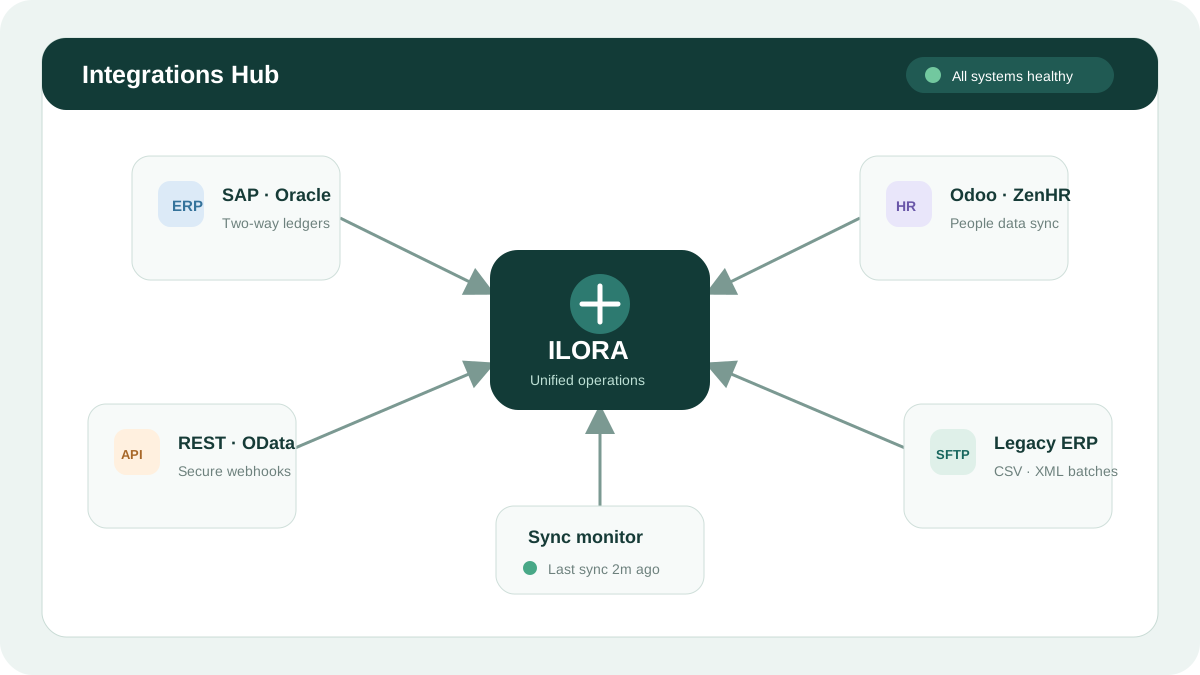
Native connectors for SAP, Oracle Fusion, NetSuite, Odoo, ERPNext and ZenHR — two-way sync over REST, OData or SFTP, with no middleware and no dual entry.
01The Problem
The problem you know
Typing the same number twice
Every invoice gets entered in ILORA and again in the ERP. Dual data entry is a full-time job that produces only errors.
The Friday-night export ritual
Someone stays late formatting Excel sheets for the ERP — every week, forever, with one typo away from a wrong ledger.
Middleware in the middle of everything
A third-party sync tool between your systems is another bill, another login, and another thing that breaks silently.
03What you get
Integrations
Native ERP connectors
Purpose-built Connector Apps for SAP, Oracle Fusion, NetSuite, Odoo, ERPNext and ZenHR — no flaky third-party middleware.
SFTP, REST & OData
Nightly SFTP CSV/XML drops for legacy systems and modern REST/OData webhooks — both handled natively.
Two-way bidirectional sync
Push approved ledgers into ERPNext while pulling live cash balances out of Odoo — data flows both directions.
Visual chart-of-accounts mapping
A simple UI to map ILORA expense categories to your exact SAP GL accounts or Odoo cost centres.
Automated nightly ledgers
Approved POs, paid invoices and payroll runs bundled and formatted for your target ERP — with batching and automatic error retries.
Bank-grade sync security
Credentials, SSH keys and OAuth 2.0 tokens encrypted with AES-256 at rest, plus strict IP whitelisting.
?FAQ